The most common GPS advice is to pick a tracker by its advertised accuracy and assume the map will follow your dog wherever the walk goes. That misses two separate failure points: the collar must first get a satellite fix, then it must transmit that position to your phone. A pin can be stale even when the collar knows where it is, so the best setup depends more on the route and connection than on one accuracy figure.
For dog walking GPS tracking, treat the map as a useful record and alert, not as proof that a dog is safe or continuously visible. A secure leash, direct supervision, and a plan for a missing or delayed update still matter on city streets and trails.
Pick a Tracker Before the First Walk
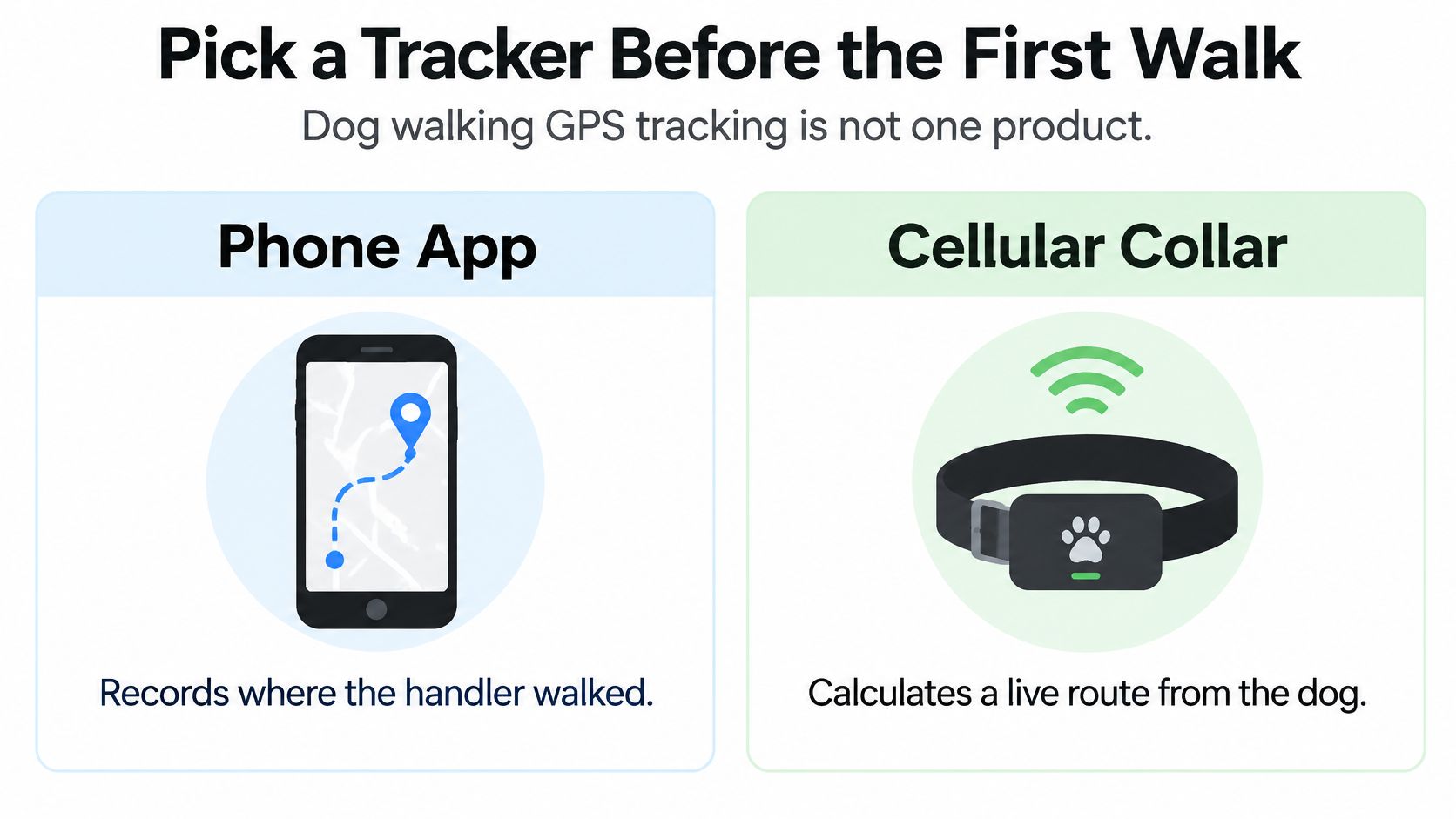
A live map and a satellite fix aren't the same thing. A cellular collar calculates its position from satellite signals, then sends it through a mobile network. If the collar has a fix but no cellular connection, your app may keep showing an old location. A phone app, by contrast, generally records the handler's route, not the dog's independent movements.
| Tracker | What it tracks | Needs cell service | Live on a walk | Best use | Main limit |
|---|---|---|---|---|---|
| Phone walk app | Handler phone path | Uses the phone connection | Yes while the phone has signal | Logging a neighborhood route | Doesn't follow a dog that leaves the handler |
| Cellular GPS collar | Dog collar position | Yes for a live map | Yes on LTE, delayed or missing in gaps | On-leash runs and hikes | Subscription, dead zones, and battery drain |
| Radio GPS handheld | Dog to a receiver | No | Yes inside radio range | Poor cell coverage | Limited range and extra gear |
| Bluetooth tag | Nearby phone ping | No GPS at all | Only when a phone is close | Finding a collar in a house or car | Not a walking GPS tracker |
Match the device to the outing
A phone app can document a neighborhood loop with your dog beside you, but it won't help locate the dog if the leash slips or the dog bolts away. A cellular collar is the more relevant option when you need the dog's position independent of your phone. It still needs both satellite access and a working cellular link for a live map.
Radio GPS systems send position data directly to a handheld receiver. They can be useful where cellular service is poor, but you need to stay within the system's radio range and carry the receiver. Bluetooth tags are a different tool altogether: they rely on a nearby phone and don't provide GPS positioning.
The American Kennel Club's comparison of GPS and Bluetooth trackers explains that GPS devices commonly send satellite-derived locations through LTE. One cited tracker reports live-location accuracy within about 25 feet , but that describes a location reading, not a guarantee of an uninterrupted trail. Some devices save points offline and upload them when they reconnect. That history can help reconstruct a route afterward, but it can't show you the dog's live position during the outage.
Use route type as your buying test
For a neighborhood walk in Denver, Arvada, Lakewood, or Wheat Ridge, a phone route log alongside a properly fitted collar may be enough if your aim is to record where you walked. Englewood and Littleton street routes are similar in principle. If you need to locate the dog independently, choose a GPS collar and check that its mobile network works where you'll use it.
Foothill routes toward Golden call for a different expectation. Trees, valleys, and canyon-like stretches can interrupt positioning or transmission, so look for a collar that stores points and uploads them later. Don't mistake a saved route for live visibility. On any route, use a leash, visible identification, and your attention, not just the app.
Set Up the Tracker and Judge the Route
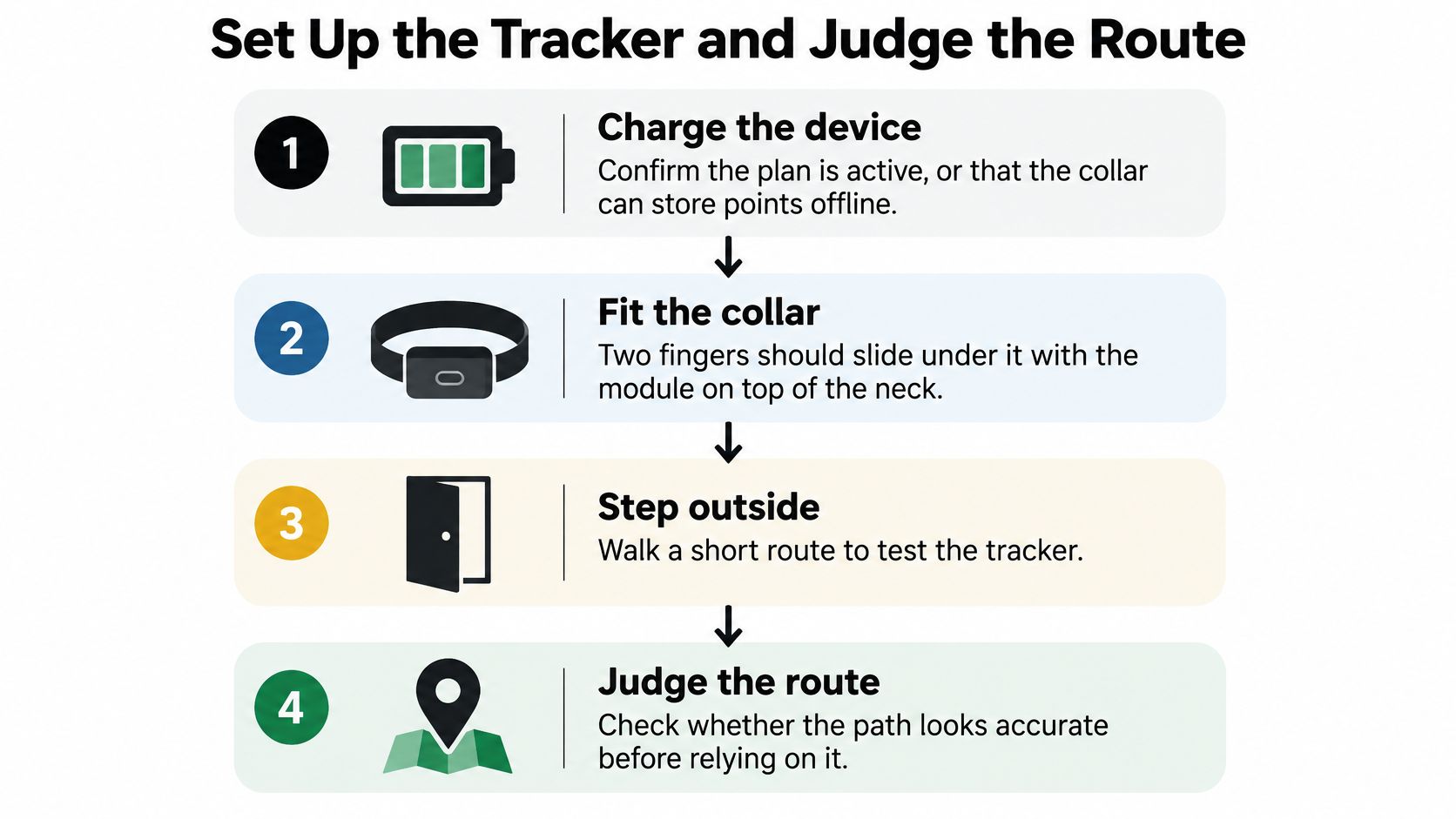
A clean line on a map can still be wrong. Before a walk, check that the collar fits, the tracker has a fresh satellite fix, the app is receiving updates, and the route is recording. Positioning and transmission are separate steps: a device may know where it is but fail to send that location, or send a fresh point that is displaced by buildings, trees, or steep terrain.
-
Charge the device and confirm service. Check the battery and make sure any required cellular plan is active. If you expect to walk outside coverage, check whether the tracker saves location points offline.
-
Fit the collar securely. It should not slip over the dog's head, and you should be able to slide two fingers underneath. Position the tracking module on top of the neck so it is less likely to shift.
-
Get a fix outdoors. Wait for the location to settle and confirm that the app shows a fresh point before you leave. A jumping pin is a poor starting point for judging the route.
-
Choose a logging interval. If the device supports multiple GNSS constellations, enable them. Frequent fixes can make a route more detailed, but they also use battery faster. Check the setting against the kind of route you plan to record.
-
Record the starting state. Note the battery level and start time. If updates stop, these details can help you judge whether the likely issue is battery, coverage, or the app.
-
Start recording after the fix settles. Keep the leash on, and attach a visible ID tag to a separate ring. If the tracker comes off, the map goes with it; the separate tag can still identify the dog.
-
Review the saved route. Look for long gaps, sharp jumps, and implausible segments. Treat mileage cautiously when the track has unexplained gaps.
Read the route, not just the accuracy claim
Buildings can block or reflect satellite signals, putting a point in the wrong place even when it looks plausible on a map. Trees and steep terrain can also weaken reception. In testing described by PLOS ONE, an iPhone 6 averaged about 7–13 m horizontal accuracy in an urban environment, while a recreation-grade Garmin receiver had RMSE below 1 m under the tested conditions. Results depend on both the device and its surroundings.
The same paper reports dog-collar field research with mean fix accuracy of approximately 12.66 m . Collar-level means ranged from 6.91–20.25 m , and researchers removed 259 erroneous fixes from 132,854 observations , about 0.19% . That was a controlled dataset, so it does not guarantee equally clean tracks on every route. Keep uncertain sections visible rather than smoothing them into a confident-looking line.
A position fix and a distance estimate measure different things. In an animal-tracking study described in a GPS validation paper, a fix every five minutes produced median two-dimensional position errors of 158–463 m and underestimated distance by 30–64% . Dead reckoning uses motion sensors to estimate movement between GPS fixes, then corrects drift with GPS.
| Logging method | Position error | Distance error | Battery result |
|---|---|---|---|
| Fix every 5 minutes | 158–463 m median 2D | 30–64% too short | , |
| GPS plus dead reckoning | 15–38 m | 2% short to 5% long | About 10 months projected |
The study projected collar life of about 10 months with dead reckoning. GPS alone needed about 12 fixes per minute to reach similar accuracy, reducing battery life to about 11 days . More frequent fixes can improve the recorded route, but the trade-off is more frequent charging.
For a walking service, Denver Dog GPS map check-ins show how GPS records can help owners follow a session. Before quoting mileage, inspect long gaps, sudden impossible-speed segments, and isolated jumps. For a practical demonstration of the setup process, use the video below.
Keep the Walk Safe When the Pin Stalls
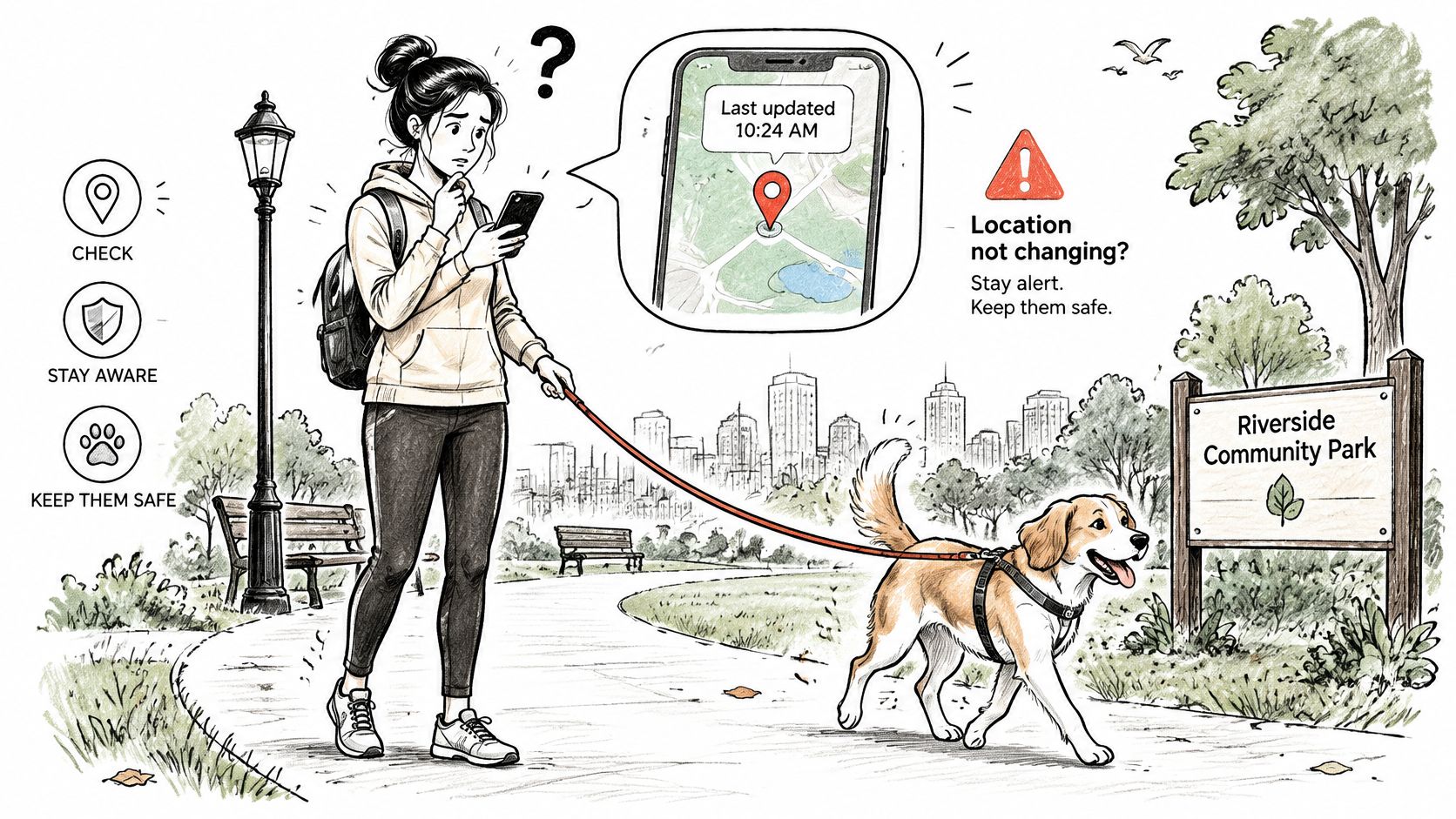
A live map can go quiet even when a tracker has recorded the route accurately. Getting a GPS fix and transmitting that fix are separate steps: a collar may save a location but fail to upload it until it reconnects. Check the timestamp, not just the pin. If the update is older than expected, stop somewhere safe, look up, and confirm the dog is with you before deciding what to do next. Don't check the app while crossing a street.
Keep physical control in parks
A tracker can help locate a dog, but it cannot keep the dog away from cars, wildlife, other dogs, or people. Denver's park rules for dogs require dogs and pets to remain on leash and under physical control at all times in city parks. In a designated dog park, handlers must have a leash available, keep the dog leashed until entering the enclosure, and leash the dog again before leaving.
Keep hold of the leash even when the app shows a current position. A geofence alert is no substitute for physical control, and it does not make it safe to let a dog roam outside a designated off-leash area. For practical leash, handling, and outing guidance, see this complete dog-walking safety guide.
Make a response plan for stale updates
Before leaving, check the tracker's battery and collar fit, then note when its latest location arrived. Set a reasonable expectation for updates on that outing. If you expect a fresh neighborhood point every minute, an older point should prompt a check-in, not an assumption that the dog remains there.
Route conditions matter. Tree cover, canyon-like terrain, and weak mobile service can interrupt uploads even when a tracker has stored location points. Those saved points may help explain the route afterward, but they cannot provide live supervision during the gap. If a geofence alert arrives, check its timestamp and confirm it refers to the right dog. Keep the dog physically controlled if you're with them.
Street grids and wooded trails can affect reception differently, so avoid promising uninterrupted live updates on any route. When booking with Denver Dog, confirm that your pickup address and planned route fall within its current service area. For group outings, a clear head count and a named backup contact help the handler respond if the map goes quiet. For tracing a person rather than locating a dog, UK people tracing is a separate resource.
Pair GPS With ID and Clear Privacy Rules
A tracker, a microchip, and a visible tag solve different problems. GPS can show a dog's location while the tracker has power, remains attached, and can communicate. If the collar comes off, the person who finds it may have a device but no way to contact you.
A microchip doesn't provide a map or transmit a location. It's implanted and can be scanned by veterinarians, shelters, or animal-control personnel, who can use the registered information to reach the owner. The American Kennel Club's microchip explainer describes why a microchip and GPS tracker aren't interchangeable. Keep the microchip registration current, attach a readable tag to the collar, and use GPS as an additional layer during walks.
Share only the information people need
A route record can reveal more than where a dog went. A track that begins at your driveway can show where you live, while repeated paths can disclose daily routines. Share a live location only with people who need it for that walk, and turn off public access when the outing ends.
For client walks, be clear about what gets recorded, such as a route, photos, and notes, and who can view it. Denver Dog's privacy policy is the place to review how its information is handled. If multiple dogs are walking together, identify which tracker belongs to which dog before the outing so a pin doesn't get assigned to the wrong animal.
If a recorded point looks wrong, say so. Don't redraw a smooth route over a gap or present an uncertain location as exact. A visible note about missing data helps an owner understand what the record can establish and what it can't.
Practical rule: GPS helps you find a position. A leash helps you control a dog, and registered identification helps someone return a dog if the tracker fails.
Book a Tracked On-Leash Session
A tracker can record an outing without delivering a live location every moment. The collar needs both a GPS fix and a connection to transmit it, so tree cover and route conditions can leave gaps. A session record is useful, but the leash and handler remain responsible for keeping the dog safe.
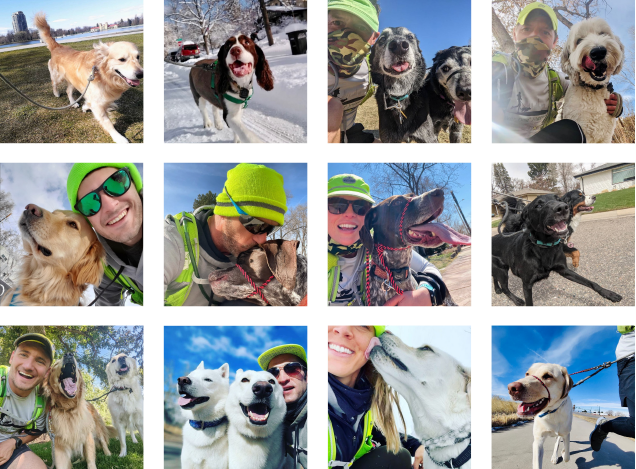
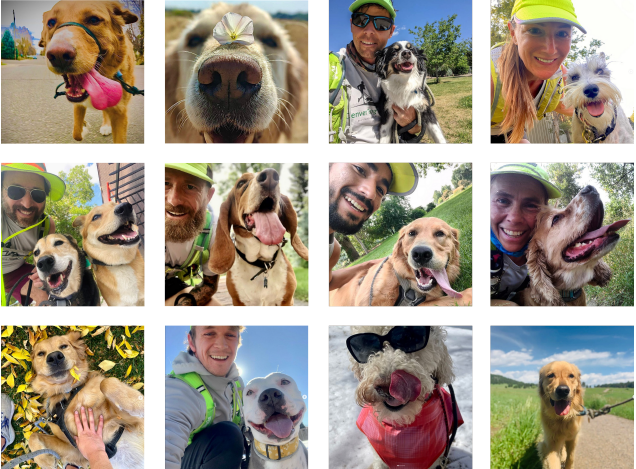
Denver Dog emphasizes trained handlers, GPS-tracked check-ins, and photo updates . Each session is recorded with a GPS-enabled device, and the walker's or runner's photos, details, and comments are posted online. Its Joggers and Hikers programs provide structured, on-leash runs, walks, and guided hikes for different activity needs.
Denver Dog serves the Denver metro area, including Denver, Lakewood, Centennial, and Arvada. Clients schedule walks, runs, and hikes through the company's online platform once they are in the system. Dog walking and running are listed Monday to Sunday, 8 am to 2 pm; hiking is listed Monday to Friday, 6 am to 2 pm.
After a session, review the route record alongside the photos and comments. A gap is useful context, not proof of where the dog was during that interval. Keep a leash on for control, and maintain current visible identification and microchip registration.
Denver Dog offers on-leash walks, runs, and guided hikes with GPS-recorded sessions and online updates. Visit Denver Dog to check the service area and arrange an outing.
The Run Down